
FI-5A Patrolman — Field Use Instructions
Doc #v325250HN
Manual Test
Place reset tool over fault indicator's dome so reset tool's magnet is over the label on the side opposite from battery caps. Hold magnet in place for approximately 1 second. The LEDs will begin to flash through a test sequence and will stop flashing once the test sequence is complete.
Manual Reset
While LEDs are flashing, place reset tool over fault indicator's dome so reset tool's magnet is over the label on the side opposite from battery caps. Hold magnet in place for approximately 1 second. The LEDs will stop flashing.
Battery Replacement
The FI-5A requires one 3.6V AA battery and one 3.6V C battery, each with a wired connector. Purchase replacement batteries from SGS or an authorized distributor. For replacement, always change both batteries.
- Use a screwdriver to remove the battery caps.
- Disconnect the batteries at the white 2-pin connector — AA battery first, then C battery.
- Reconnect the new C battery first and the AA battery second.
- Replace and tighten the caps to ensure a water-tight seal: 30–32 in-lbs for the AA cap and 32–34 in-lbs for the C cap.
Installation of Fault Indicator
- 1 Pull open the Clamping Mechanism using thumbs until it locks into place. Once the Clamping Mechanism has been cocked, the unit will lock in the "open" position.
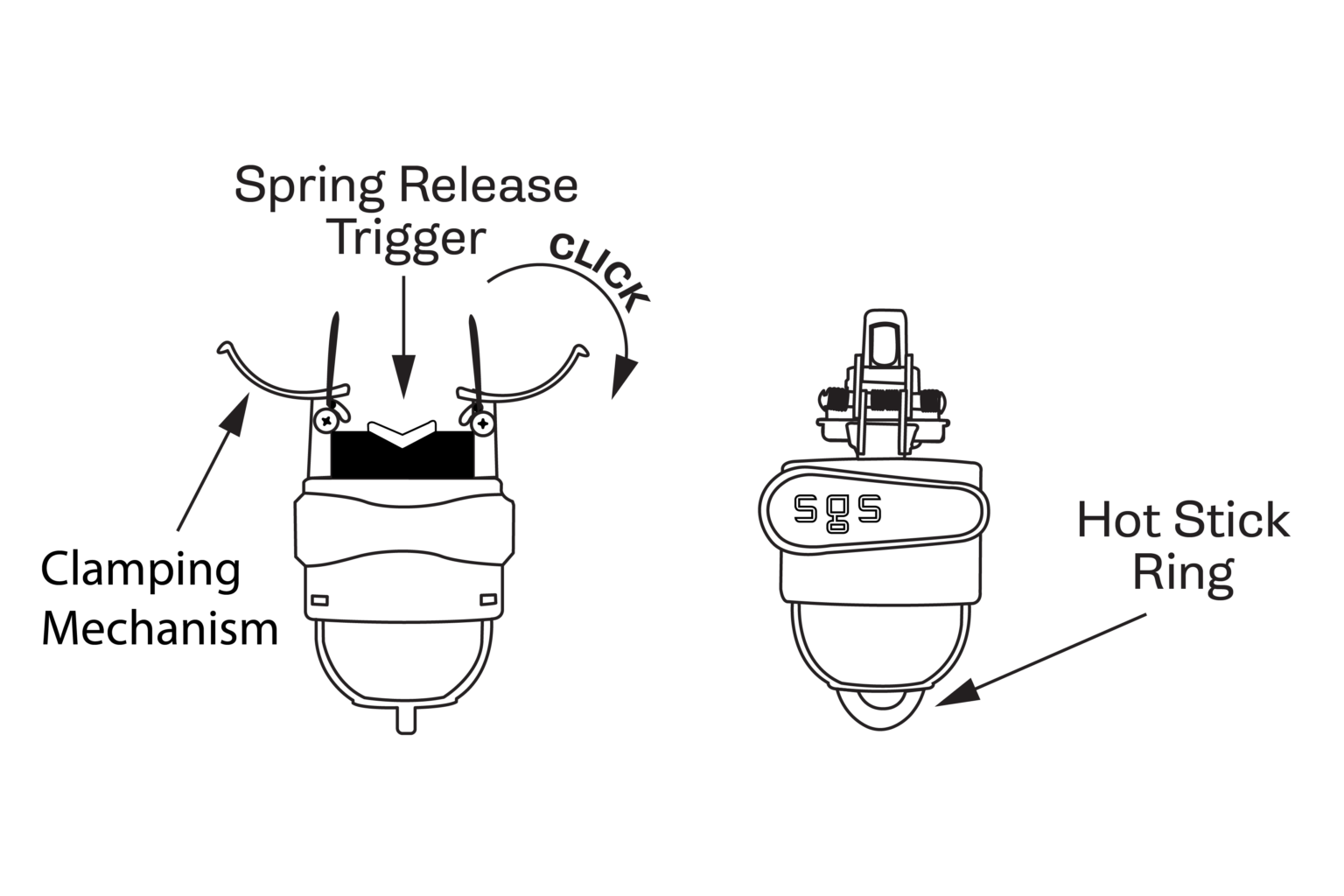
- 2 Attach the device to a shotgun stick.
- 3 Position the conductor between the open Clamping Mechanism, and with a forceful upward movement, install the device to the line. When the Spring Release Trigger receives sufficient pressure, the spring will release, clamping the conductor and setting the device into place.
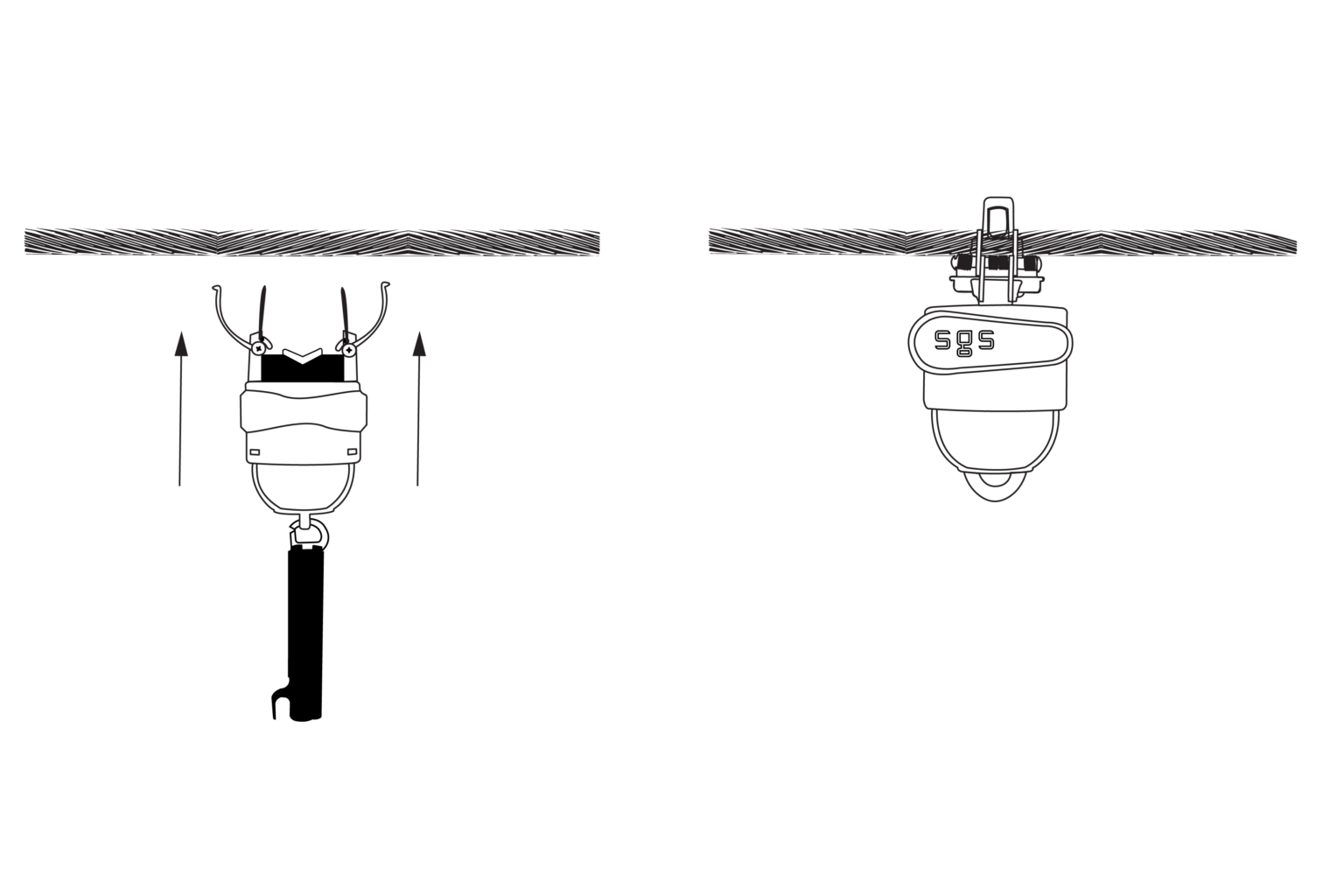
- 4 Clamping Mechanism arms should be touching each other to assure accurate reading. Open the shotgun stick and remove it from the device.
Additional instructions
Training videos and reference cards are on the Training page under Resources. For help, email info@smartgridsolutions.com or call 512-782-9698.