
FI-3C Recon — Field Use Instructions
Doc #0409_2026HN
Installation of Fault Indicator
- 1 Use thumbs to pull open Clamping Mechanism. Once Clamping Mechanism is pulled sufficiently apart, the arms will lock into place.
- 2 Attach the fault indicator to a hot stick.
- 3 Position cable between open Clamping Mechanism. With a forceful push forward, install device on cable.
- 4 Clamping Mechanism arms should be touching each other to assure accurate reading. Remove hot stick from device.
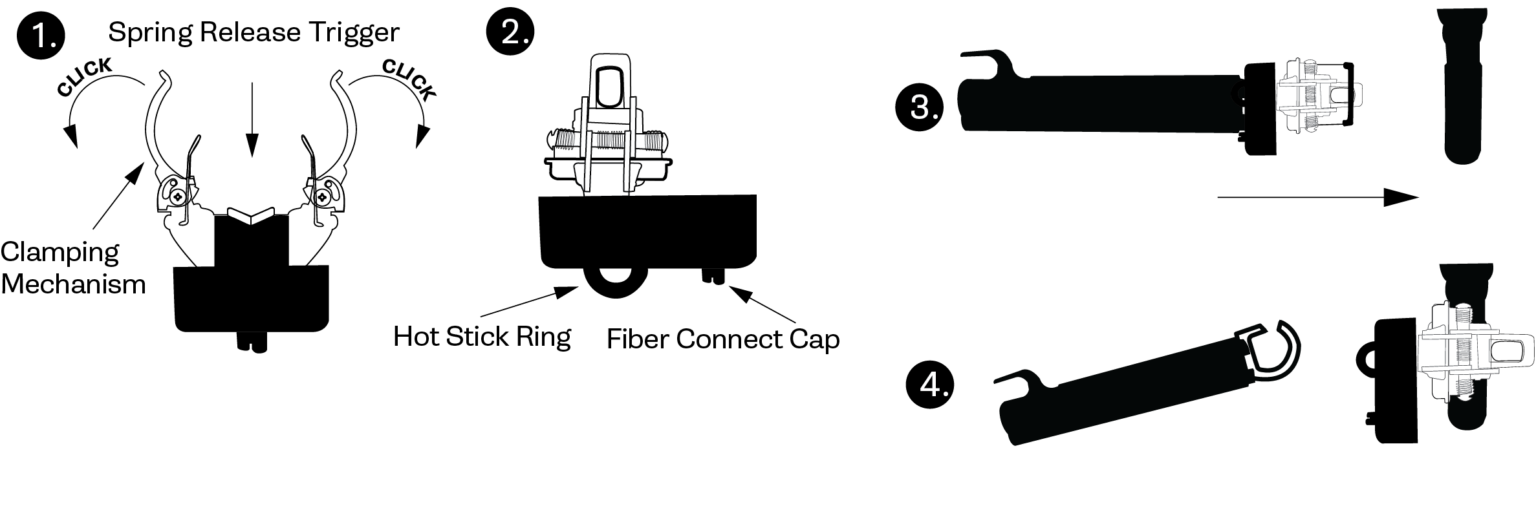
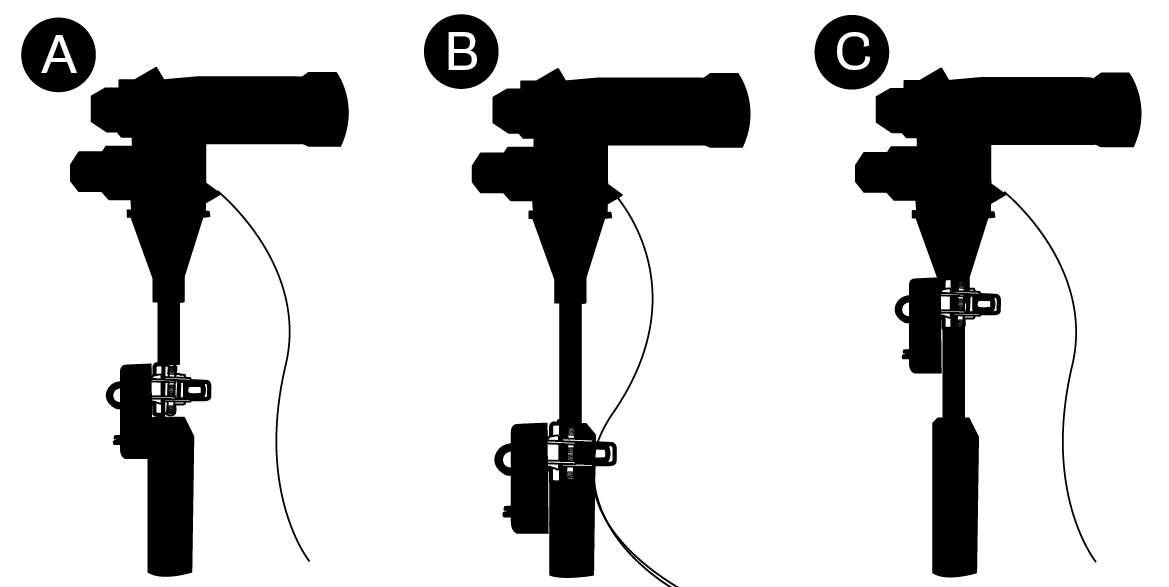
Best Practices — Installation
- Method A: Mount unit on cable over insulation above jacket peel back.
- Method B: Mount unit over concentric neutral foldback.
- Method C: Mount unit on elbow.
- For Methods A and C, ensure no contact with concentric neutral or bleed wire.
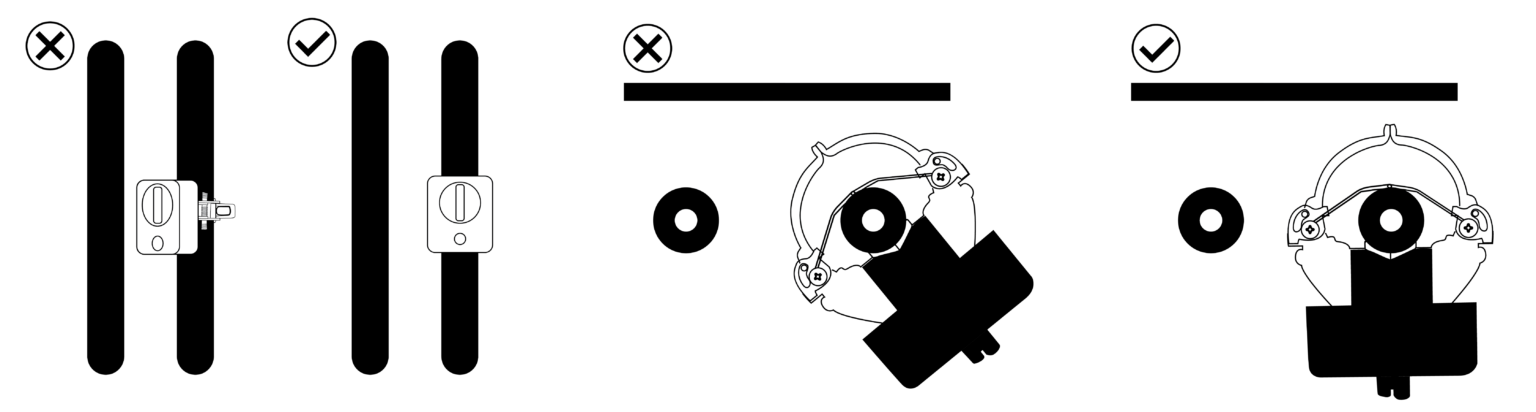
Best Practices — Orientation Relative to Adjacent Conductor
Install the FCI so the face of the unit aligns with the adjacent conductor. The back surface of the FCI and the adjacent conductor should be on the same flat plane. Mounting the device as far as practically possible from adjacent conductors minimizes the risk of signal interference.
Installation of Remote Indicator
Attaching Remote Indicator Fiber Optic Cable to FI-3C
Move Plastic Adapter to the end of the fiber optic cable. Push Plastic Adapter into Fiber Connect Cap until it snaps into place.
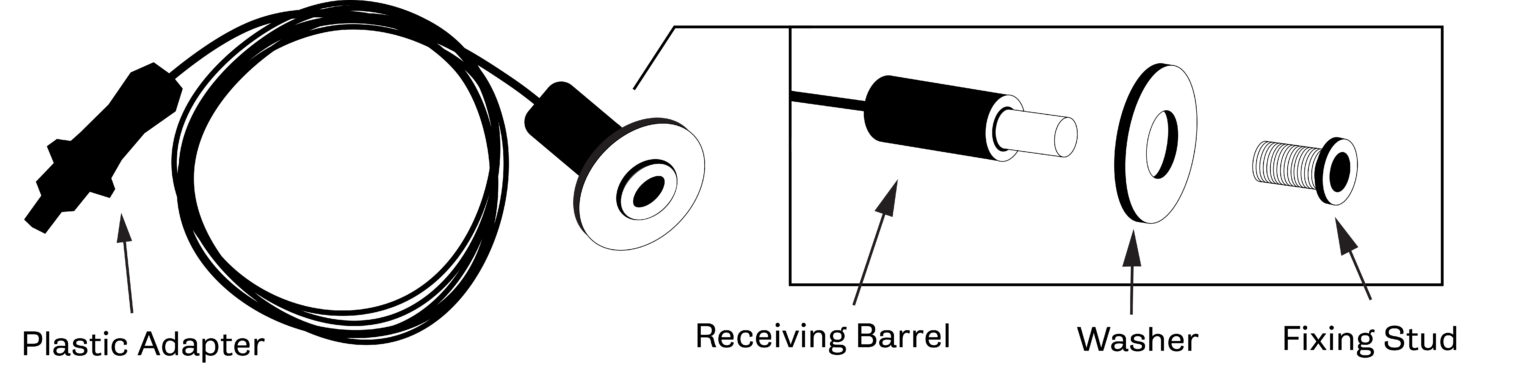
Installation of Remote Indicator's Flashing Point on Transformer Casing
- Drill hole of 5/16" to 7/16" size at installation point.
- Circle Fixing Stud — With thumb, apply pressure on Fixing Stud, and unscrew the Receiving Barrel.
- Hex Fixing Stud — With a 7/16" head on a ratchet or nut driver, unscrew the Fixing Stud from the Receiving Barrel — use low torque.
- Once the Fixing Stud is unscrewed from Receiving Barrel, insert it through the drilled hole and screw the Fixing Stud into the Receiving Barrel until it firmly grips the transformer or switchgear casing.
Manual Test and Reset
Reset Tool Placement
Place reset tool over FI-3C so Fiber Connect Cap fits through the open area on the face of the reset tool. When the reset tool rests against the face of the FI-3C, the reset tool's magnet is placed correctly to induce manual test or manual reset. Remove the magnet from this position once the manual test sequence begins or the manual reset occurs.
Manual Test
If the reset tool rests in correct placement for 2 seconds, the manual test's LED flashing sequence will begin. First, the LED will flash 2 cycles of red light. If the FI-3C is equipped with the low battery indication option, the LED will then flash two cycles of yellow light. Finally, a slow red cycle indicates that the manual test sequence is over.
Manual Reset
If the FI-3C's LED is flashing and the reset tool rests in correct placement for 2 seconds, then manual reset will occur — indicated by a single red flash.
Additional instructions
Training videos and reference cards are on the Training page under Resources. For help, email info@smartgridsolutions.com or call 512-782-9698.